Why Use Workflows?
Most people fall off LinkedIn not because they run out of ideas, but because doing it manually every single day is exhausting. Workflows take the repeatable parts off your plate, while still letting you approve anything before it goes live.
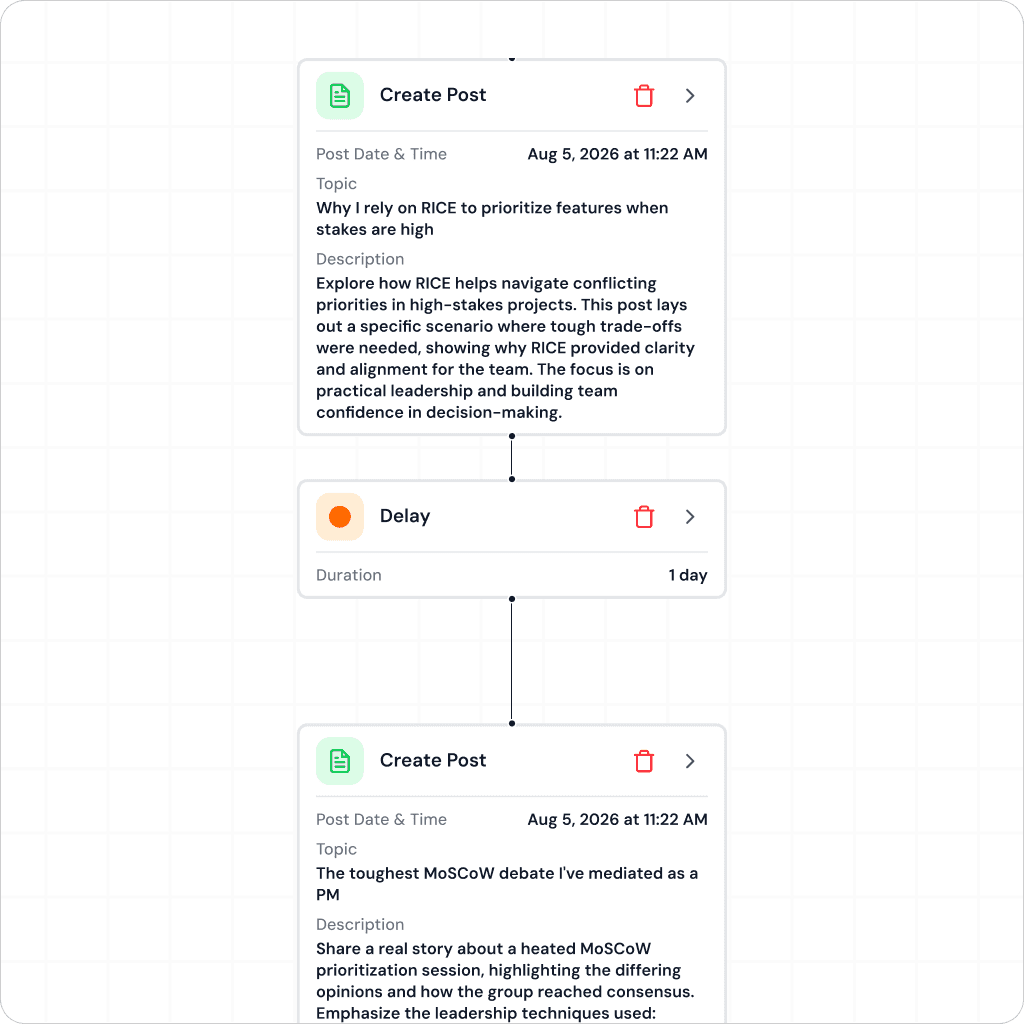
Chain steps together — idea, draft, review, publish
Trigger workflows on a schedule or by topic
Add approval steps wherever you want control
Reuse templates instead of rebuilding from scratch
Core Features Of Workflows

Visual Workflow Builder
Drag and connect steps on a canvas — content and engagement workflows, built exactly how you want them to run.
Build by Chat
Don’t want to click around? Describe the workflow you want in plain language and it gets built for you.
Approval Checkpoints
Add a review step anywhere in the flow, so nothing publishes or sends without your sign-off.
Reusable Templates
Save a workflow once and reuse it for new campaigns, contacts, or content series — no rebuilding from zero.
Who Is Workflows For?
Founders & Leaders →
Keep a consistent presence without managing it day to day.
Sales & GTM Teams →
Automate outreach and engagement sequences at scale.
Marketers →
Run repeatable content campaigns without manual handoffs.
FAQs
Do I need to be technical to build a workflow?
Will things get published without me checking?
Can I reuse a workflow for a new campaign?
What can a workflow actually automate?
